
Simplified Decryption Interface
Introduction
In a world where nearly all web traffic is encrypted, network-based decryption is more critical than ever before. But building a decryption policy can be tricky: administrators must manage certificates, handle exceptions, and account for applications that use techniques like certificate pinning to block inspection. With rule-based design, they also have to figure out how to properly order these rules for correct enforcement.
In Secure Firewall 10.0, Cisco has simplified this process by moving from a traditional rules-based interface to a new intent-based workflow. The policy is built around the most common decryption workflows, providing sensible defaults that still allow for easy customization. Instead of figuring out how to build a decryption policy, you can now simply say what you want and Secure Firewall takes care of the under-the-hood plumbing.
Combined with Cisco's industry-leading hardware decryption performance, Secure Firewall 10.0 provides a powerful and admin-friendly platform for successful inline decryption.
Requirements and limitations
The new Decryption Policy experience requires Secure Firewall 10.0 or later. Cisco also recommends that managed devices be on version 10.0 or later. Managed devices on earlier versions are supported, but with important caveats:
- Intelligent Decryption Bypass requires software version 7.7.0 or later.
- For inbound decryption, devices prior to 10.0 will continue to use the legacy Known Key Decryption method instead of the newer, more flexible behavior.
Certain features within Decryption Policy depend on specific feature licenses being applied to managed devices:
- URL-based bypass requires the URL filtering license, as it relies on URL categorization and reputation to function.
- Intelligent Decryption Bypass requires both the URL filtering license (for server reputation disposition) and the IPS license (for client threat disposition via Encrypted Visibility Engine).
- While not a core feature of the decryption policy itself, a fundamental reason to decrypt is so that deep packet inspection can be performed. For this reason, it is highly recommended to have the IPS license and/or Malware defense license applied when performing decryption. For environments without advanced licensing, it is recommended to reassess whether decryption provides any meaningful benefit.
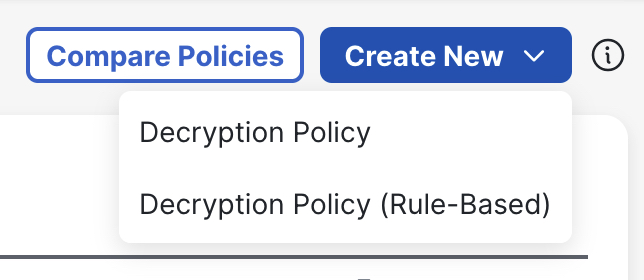
Existing Decryption Policies are not automatically converted to the new design. They remain supported and are labeled as Decryption Policy (Rule-Based). If desired, administrators can also continue building new policies using the older, rules-based model. (A policy created using the new simplified interface is labeled as Decryption Policy.)
Creating a decryption policy
In Firewall Management Center (FMC), navigate to Policies > Decryption and click Create New > Decryption Policy. In the pop-up that appears, enter a name for the policy, and optionally provide a description.
Each Decryption Policy can cover both Inbound Decryption and Outbound Decryption, configured in their own dedicated sections.
Configuring inbound decryption
Inbound Decryption is when the firewall decrypts traffic coming from external clients to an internal server. A common example would be internet users accessing a company's web server through the firewall. The firewall performs decryption by presenting a certificate to external clients (often the same certificate the internal server itself uses), allowing it to decrypt the traffic and perform deep packet inspection.
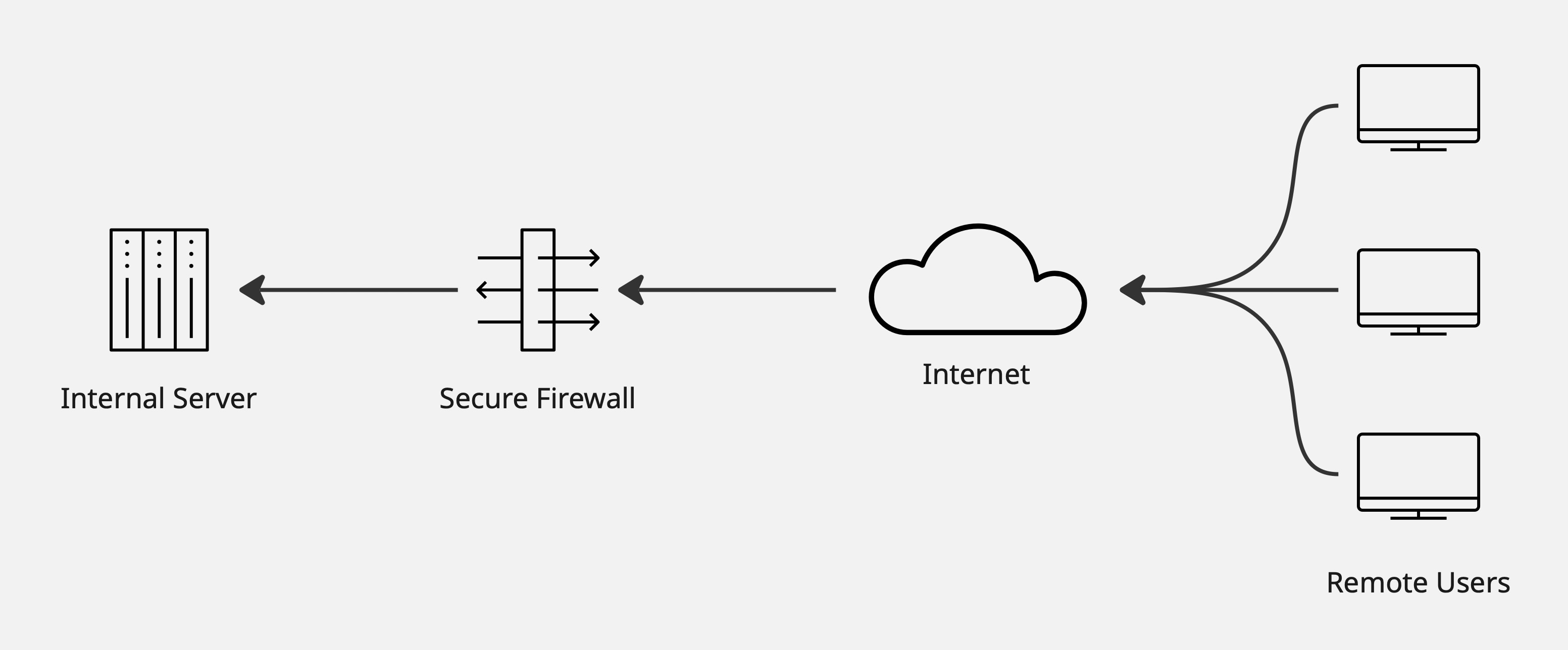
Illustrative example of inbound decryption
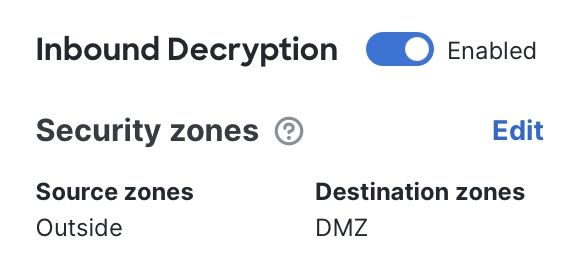
- To begin: Enable the Inbound Decryption section.

- **Configure security zones:**Set the source and destination security zones so they reflect the path of inbound traffic. For example, in a simple environment the source zone might be labeled Outside and the destination zone might be labeled DMZ. Adjust this according to your network's zone design.
Note: If you leave the zones unspecified, the system interprets this as "No zones," which means decryption will not be applied. This safeguard prevents the firewall from accidentally decrypting traffic that doesn't match your intended policy.
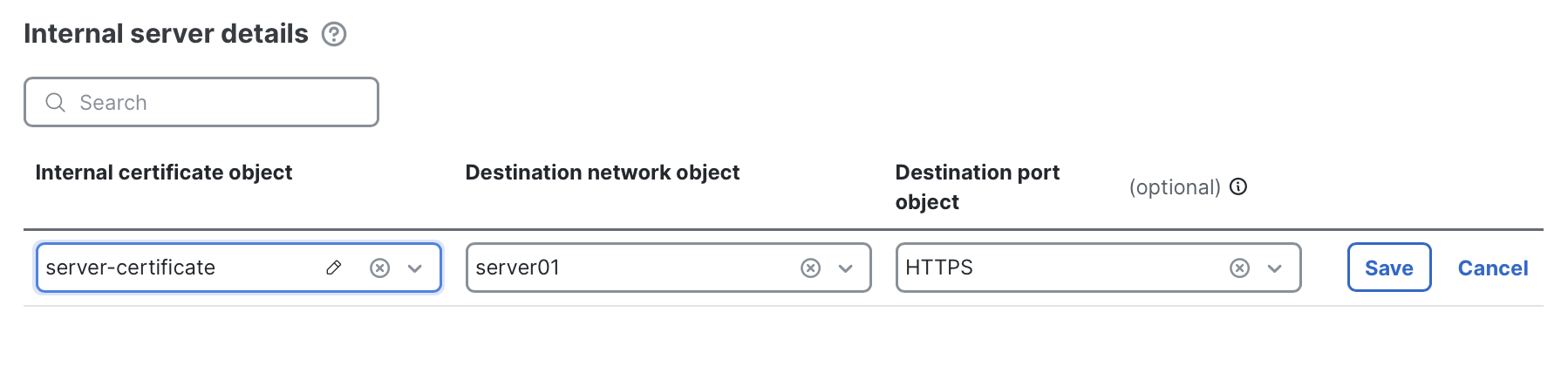
- Specify decryption targets: Define the traffic that will be decrypted by adding entries to the Internal server details section. Click + Add new and select the required components.
- Destination network object: The internal server (or group of servers) that inbound decryption should apply to. This can be a single host object or a broader network object..
- Destination port object (optional): The port on which the internal server is listening. For example, HTTPS (tcp/443). If no port is specified, the firewall will attempt decryption for TLS or QUIC traffic across all ports.
- Internal certificate object: The TLS key pair the firewall will use to decrypt traffic to the destination network object. This key pair is what external clients will see when connecting. It can either be the same certificate as installed on the internal server, or a different one (in which case the firewall re-encrypts with the server's own certificate).
Inbound certificate handling
In Secure Firewall 7.7 and earlier, inbound decryption required that the firewall hold an identical copy of the certificate and private key (key pair) installed on the internal server. This was known as Decrypt Known Key, and it depended on a strict 1:1 match.
Starting in Secure Firewall 10.0, inbound decryption supports a new method called Replace Certificate. This design is more flexible and fits a wider range of enterprise deployments:
- You can still use the traditional approach with an identical key pair.
- Or, you can install a completely different certificate on the firewall than what's on the internal server. For example:
- Sign all internal servers with an enterprise root CA (using
.localor internal namespaces). - Use public-domain certificates from a publicly-trusted CA for external access.
- Deploy a single public-facing certificate with multiple SANs that cover many internal servers.
- Sign all internal servers with an enterprise root CA (using
Key benefits of Replace Certificate:
- Separate internal vs. external certificates (e.g.
.localinside,.comoutside) - Smoother certificate updates, even if the firewall and server briefly mismatch
- Support for one public-facing certificate covering many servers via SANs
- Ability to replace a certificate object's key pair inline, either in FMC or through updated REST API
New requirements with Replace Certificate
- Internal server certificates must be trusted by the firewall. Add your enterprise root CA (or self-signed certs) to the Trusted CA list in Advanced Settings.
- Internal server certificates must be valid and not expired.
Below are some example illustrations of different deployment scenarios enterprises might choose to use with the new Replace Certificate action.
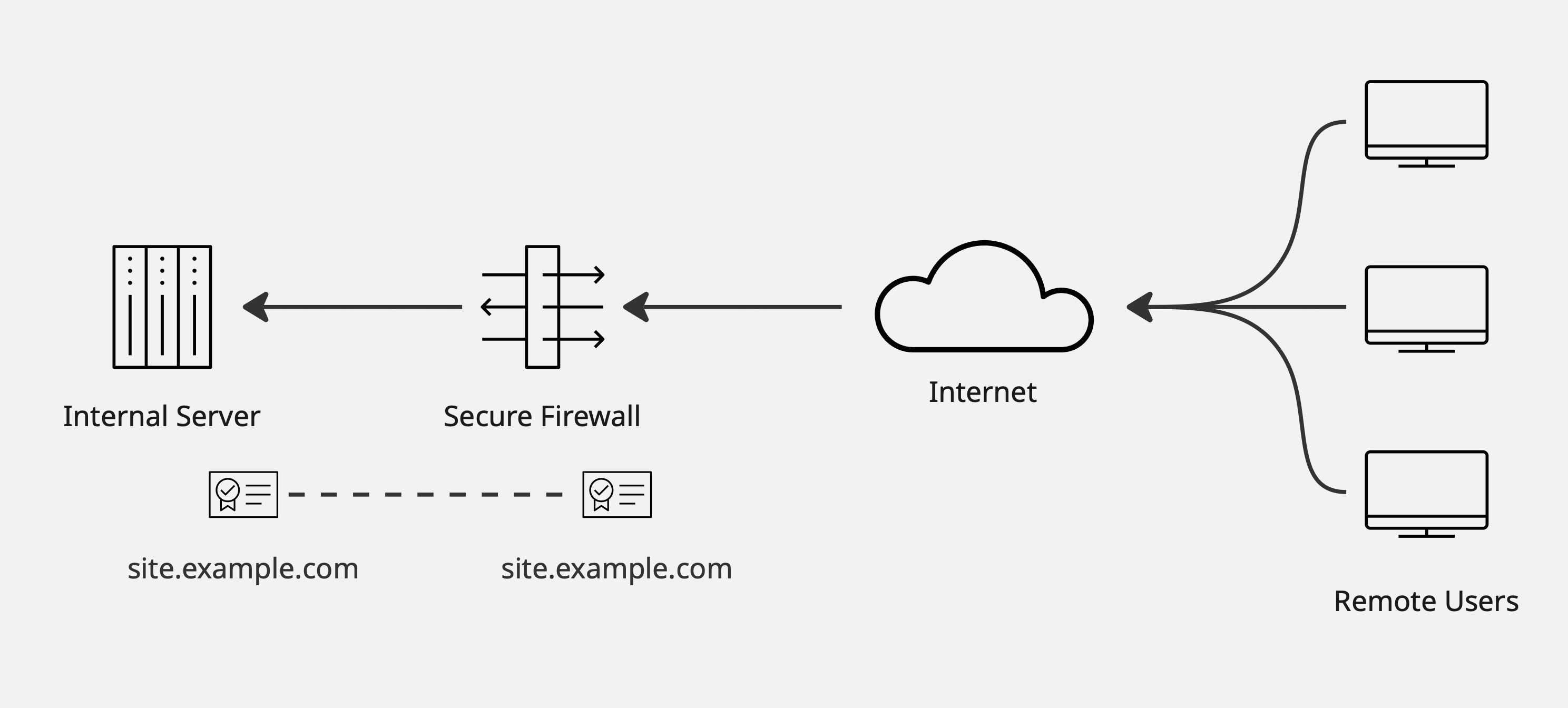
Use the same key pair on both the internal server and the firewall.
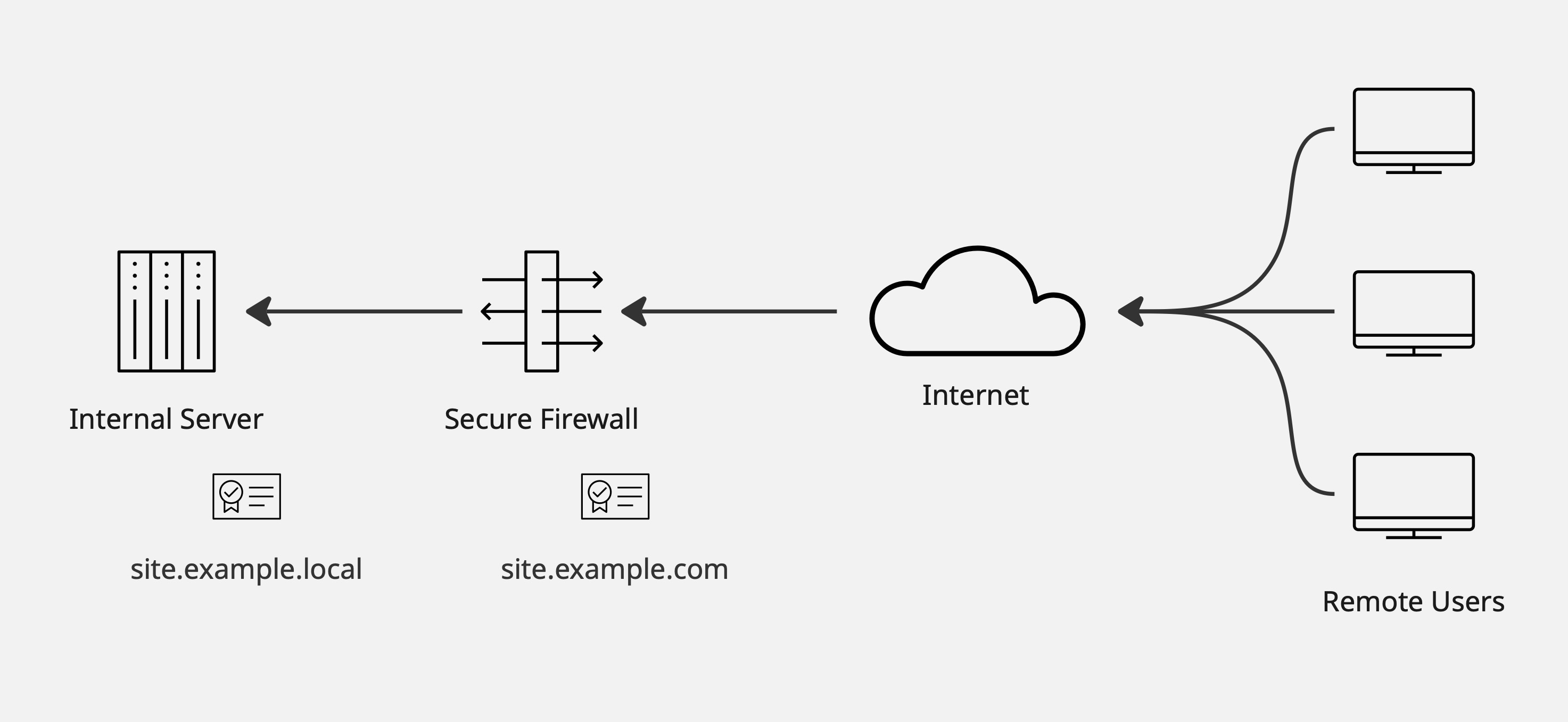
Use different certificates internally and externally, aligning with namespaces or management processes.
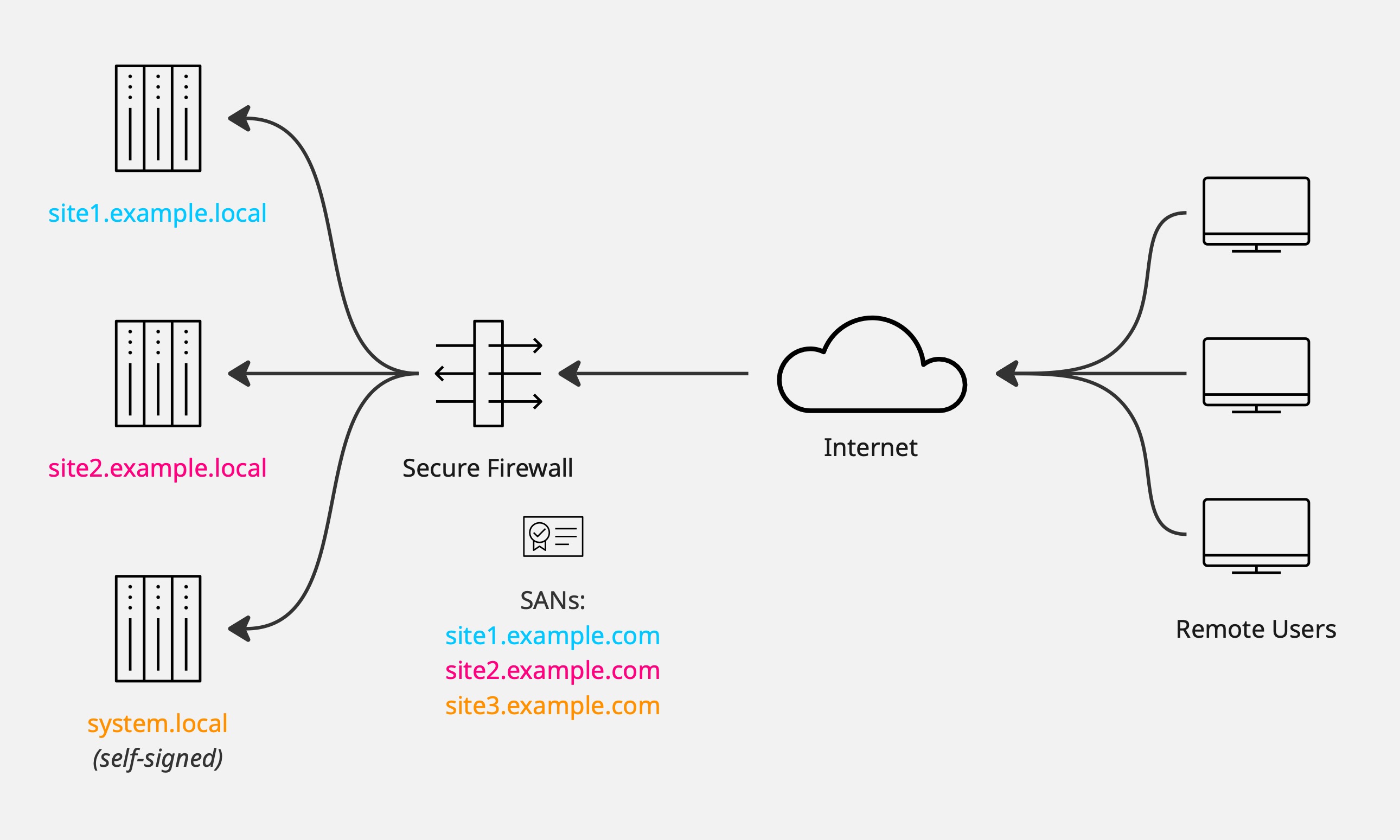
Use a single firewall certificate with multiple SANs to represent many internal systems.
Configuring outbound decryption
Outbound Decryption is when the firewall decrypts traffic coming from internal clients out to external destination servers. A common example would be internal users accessing internet websites through the firewall. The firewall performs decryption by generating on-demand certificates via an Enterprise Certificate Authority, allowing it to inspect the connections.
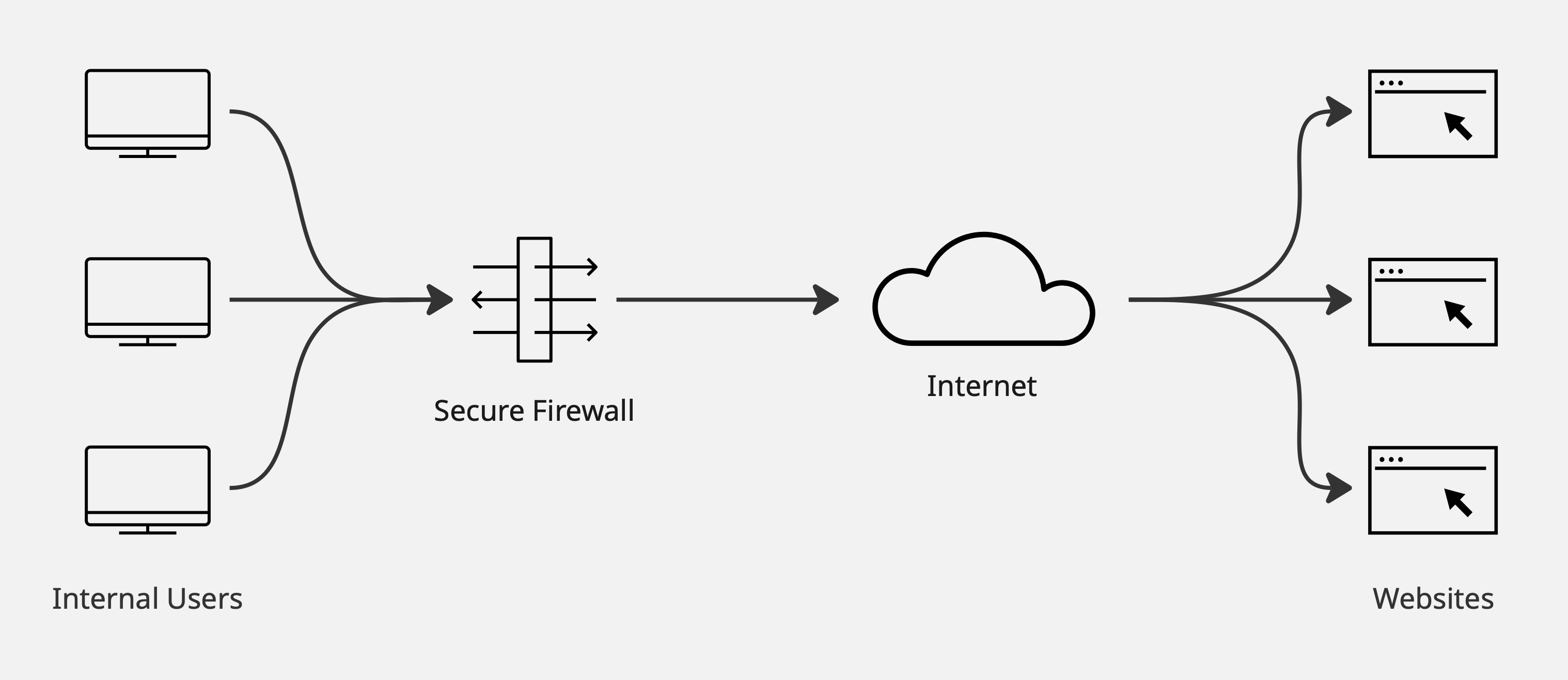
Illustrative example of outbound decryption
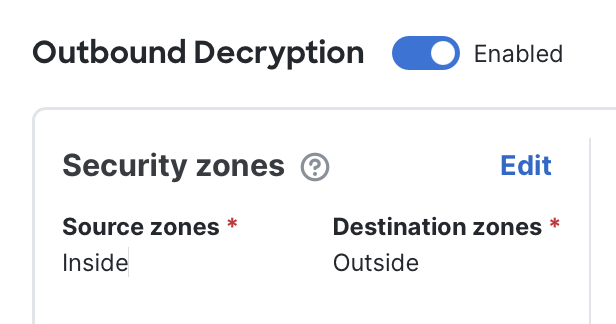
- To begin: Enable the Outbound Decryption section.

- Configure security zones: Set the source and destination security zones so they reflect the path of outbound traffic. For example, in a simple environment the source zone might be labeled Inside and the destination zone might be labeled Outside. Adjust this according to your network's zone design.
Note: If you leave the zones unspecified, the system interprets this as "No zones," which means decryption will not be applied. This safeguard prevents the firewall from accidentally decrypting traffic that doesn't match your intended policy.
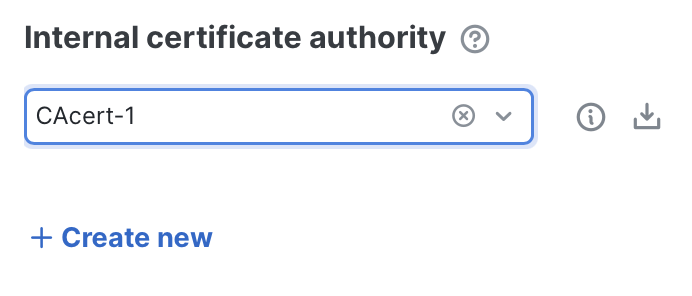
- Specify internal certificate authority: Choose the certificate authority (CA) key pair that the firewall will use to sign replacement TLS certificates. This is required for outbound decryption, where the firewall presents substitute certificates to internal clients.
- Trust requirement: The CA you select must be trusted by your organization's managed devices; otherwise users will see certificate errors.
- Best practice: Create a Subordinate CA signed by your enterprise Root CA. This ensures the CA is already trusted by most devices and can be revoked if needed.
- Alternative option: You can also generate or upload a self-signed CA certificate right from the dropdown selector. If you do this, you'll need to distribute it manually to all managed devices. (You can click the download button to retrieve a copy for deployment to devices if required.)
- Specify networks and users to decrypt: Choose which internal systems and/or users will be subject to outbound decryption. Add entries to the Decrypt networks and users section by clicking + Add new, and select one or both of the following per row:
- Source network objects: The internal system (or group of systems) whose outbound traffic should be decrypted. You can define a single host object or a broader network object. (If left blank, this setting defaults to any.)
- Users: The organization user (or group) whose traffic should be decrypted. One user or group can be added per row. (If left blank, this setting defaults to any.)
Note: At least one row must be added to start decrypting outbound connections, with a Source Network Object and/or User entry defined.
Tuning outbound decryption
In most enterprises, simply enabling outbound decryption is not enough. Real-world environments almost always require bypass rules to ensure usability, compliance, and performance. Without them, critical applications may break, users may experience certificate errors, sensitive categories of traffic may be decrypted inappropriately, or the firewall's performance may become degraded.
These bypasses are configured within the Outbound Decryption section, and you'll find that many common requirements are predefined by default. Here are the bypass sections that exist for outbound decryption:
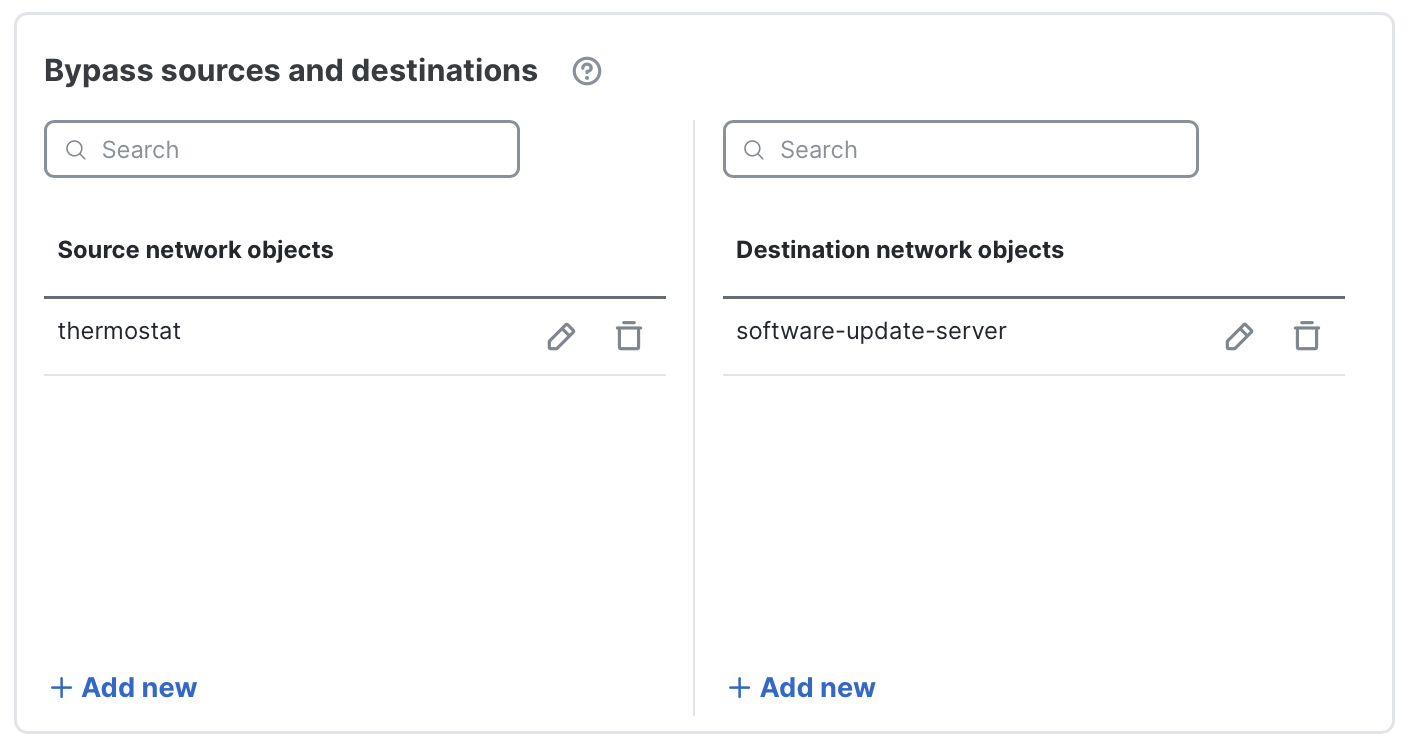
- Bypass sources and destinations: Some internal systems cannot be intercepted (for example: guest networks, postage meters, or other devices that cannot have the enterprise CA installed). Likewise, some external services may be unsuitable for interception — for example, sites using client-certificate authentication, self-signed certs, or other non-standard TLS behavior. Use this section to add entries that should be excluded from outbound decryption. Add one host or network object per row.
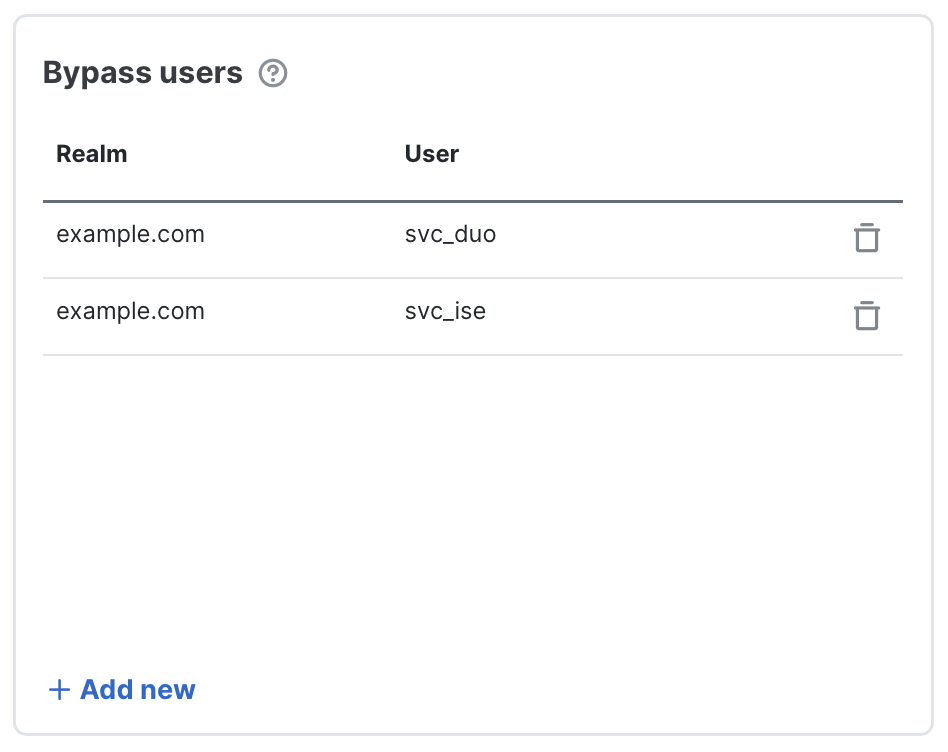
- Bypass users: Though less common, some users or groups may need to be excluded from outbound decryption, such as developer accounts or service accounts. Add one user or group per row to exempt their traffic from decryption.
-
Bypass applications: Some applications must be excluded from outbound decryption because interception would break them (due to certificate pinning, client-certificate authentication, etc.), or because decrypting them adds latency with little security benefit (video streaming, backup jobs, etc.). Use the the following application bypass controls to exempt apps from inspection.
- Known undecryptable applications: Cisco maintains a curated list of applications that commonly break when intercepted and that are of moderate-to-high business relevance. These apps are bypassed by default. Click Edit applications to view or uncheck individual items. You can disable the entire list, but this is strongly discouraged
- Applications: Add individual applications you want to bypass (for example, additional apps that use certificate pinning or specific vendor tools). Search by name or use filters to locate an AppID
- Application filters: Create filter rules (for example, by risk, category or tag) to bypass entire groups of apps. As new AppIDs are added that match the filter, they'll be automatically included. This serves as a low-maintenance way to cover broad classes of traffic. (Use the preview in the selector to see current matches.)
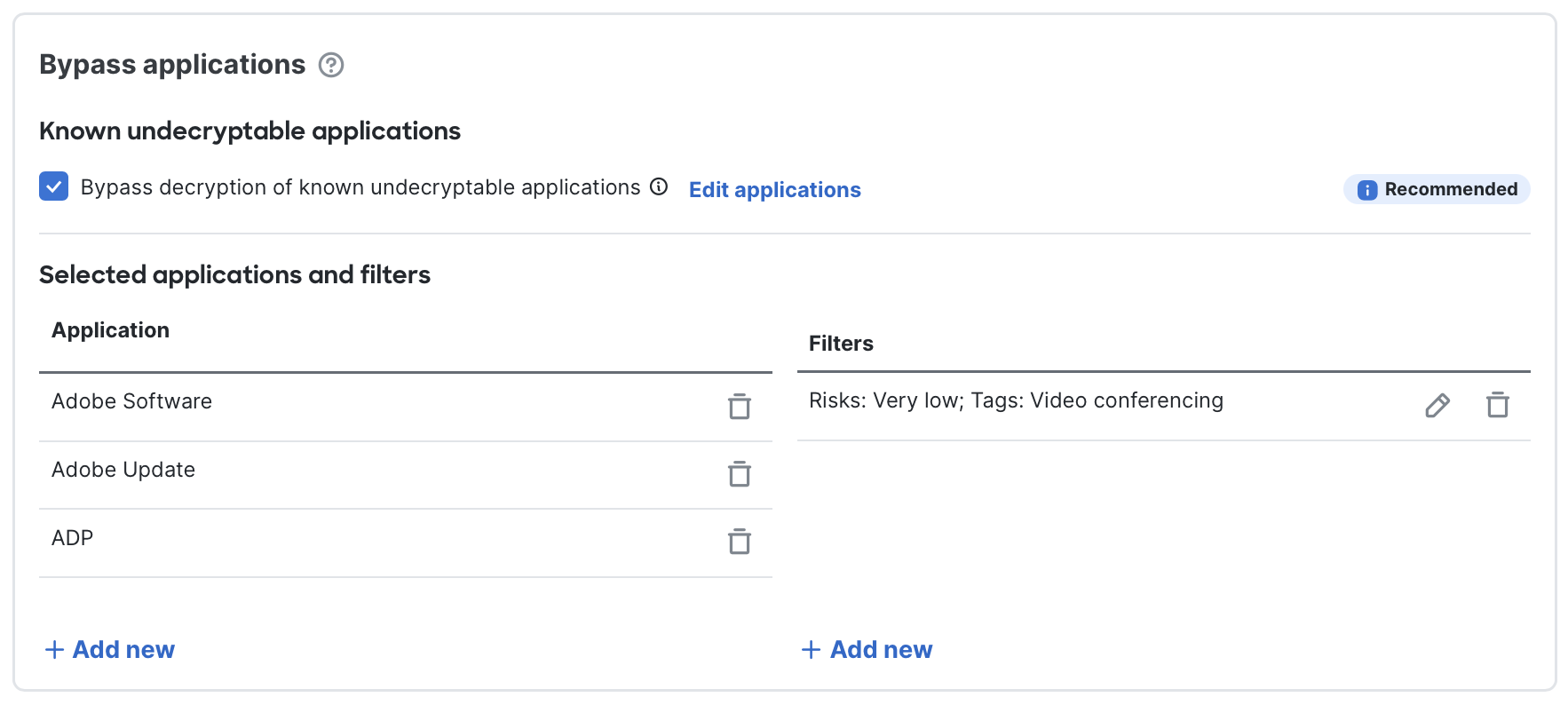
Bypass applications section
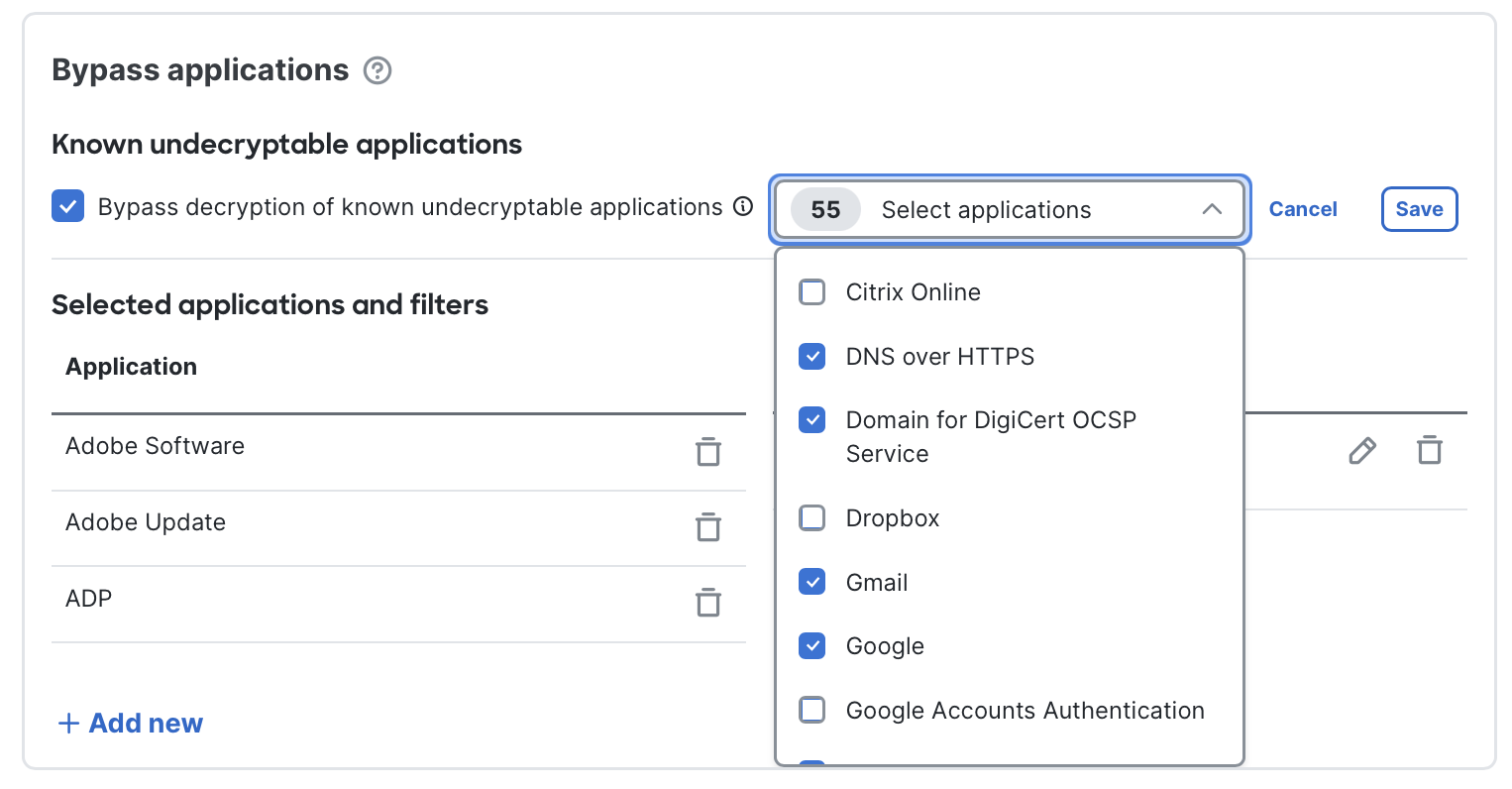
Customizing the Known undecryptable applications list
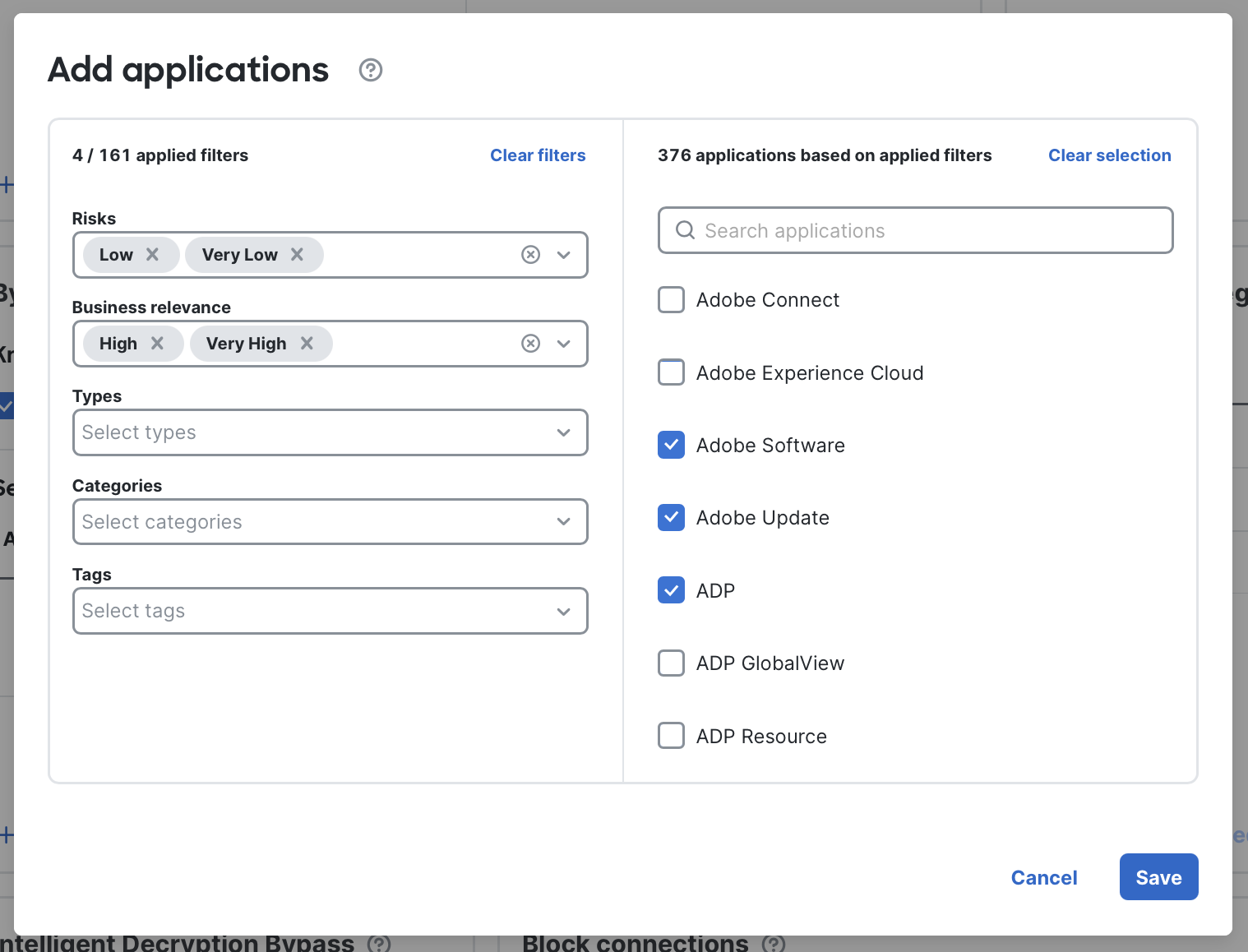
Adding individual applications for bypass
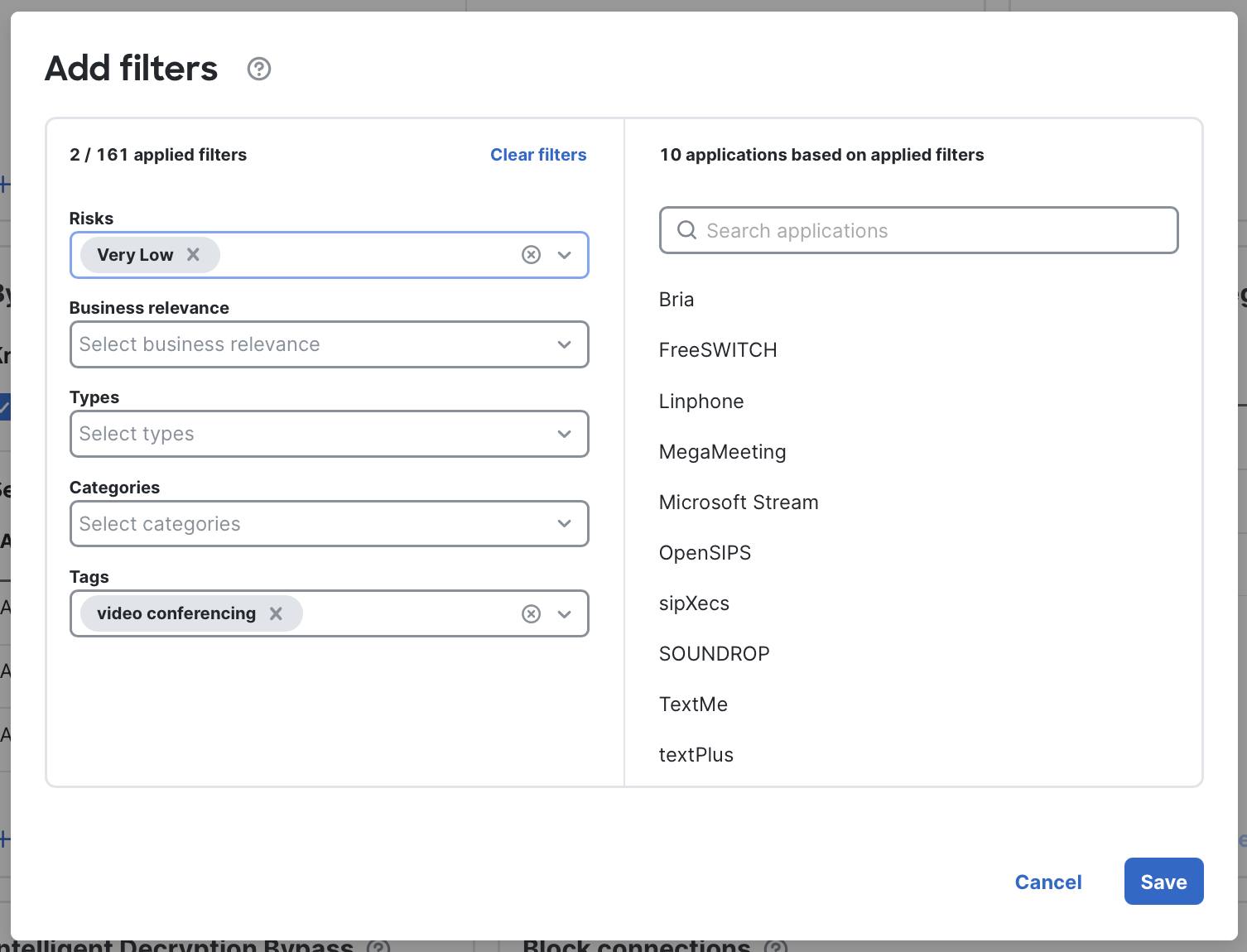
Selecting criteria for an application filter
-
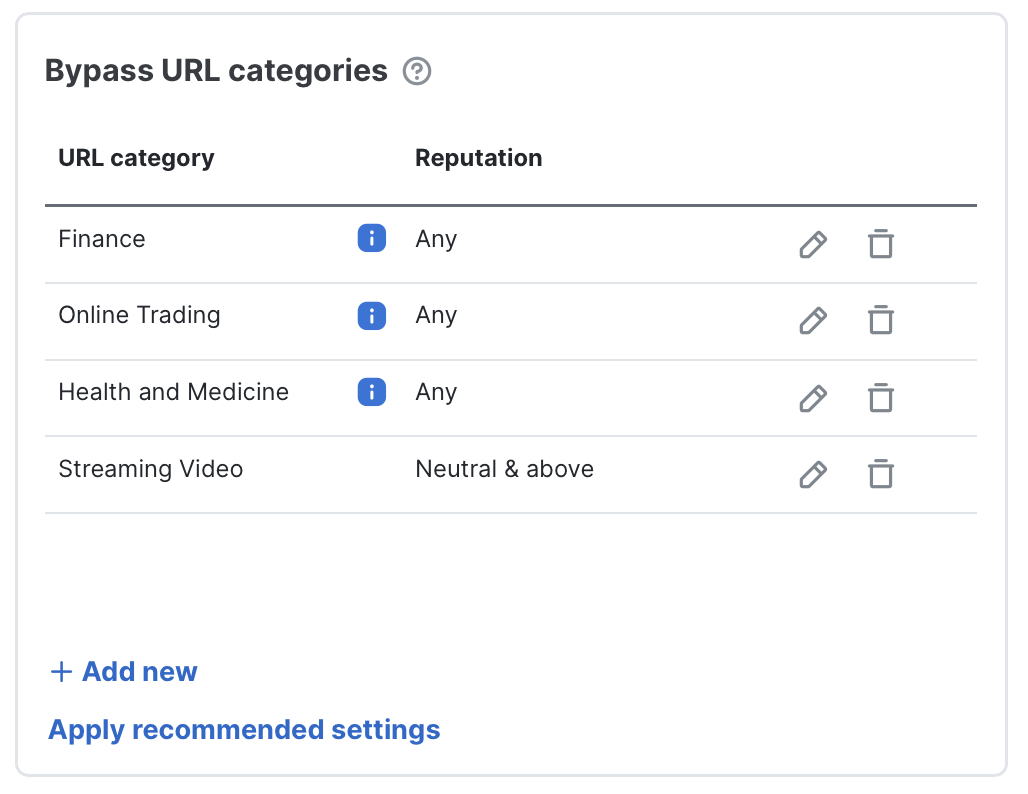
Bypass URL categories: Some URL categories are commonly excluded from outbound decryption for privacy, compliance, or performance reasons. You can also combine category selection with Cisco Talos reputation filters (for example, bypass Streaming Video sites only if their reputation is Neutral or above). By default, Secure Firewall bypasses decryption for all Finance, Health and Medicine, and Online Trading sites. It is recommended to review these defaults against your organization's compliance requirements.
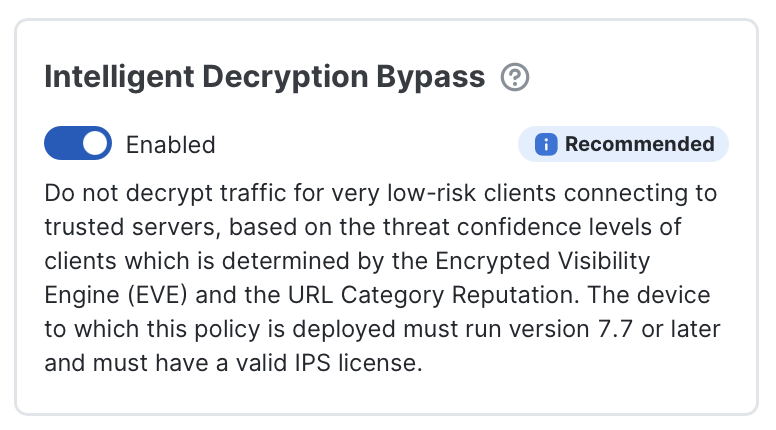
- Intelligent Decryption Bypass: This feature provides a dynamic, risk-based bypass to preserve performance by skipping inspection of the lowest-risk connections. When enabled, Secure Firewall uses the Encrypted Visibility Engine and Talos server reputation to evaluate both client and server signals. Only connections that meet both the very low-risk client and trusted server criteria are bypassed.
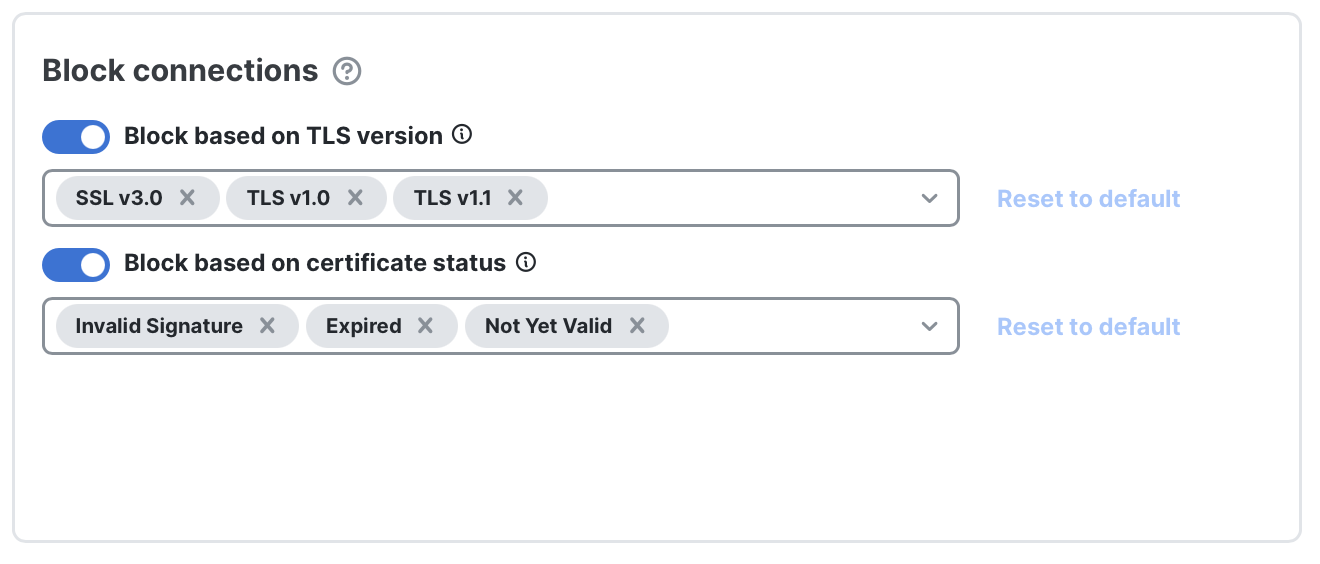
- Block connections: Some organizations choose to block weaker TLS protocols (for example, anything older than TLS v1.2) or to deny traffic when certificate problems occur (such as expired certificates). This section lets you enforce those checks. By default this feature is disabled. If you enable it, the system applies conservative baseline settings that you can then fine-tune.
Note: These connection blocks apply to outbound traffic only.
Tips and advanced options
The following tips, best practices, and advanced options will help you get the most out of the new decryption policy interface.
Start Small: Even for experienced engineers, it's best to start with a limited deployment:
- Inbound decryption: Begin with a single server (such as a lab system or a lower-priority service).
- Oubound decryption: Target a single host or a small subnet (for example, the firewall engineering team).
Once you confirm the policy works as expected, expand coverage to the rest of your environment.
Communicate: Successful decryption projects involve more than just the firewall team. Involve:
- IT leadership and legal early, to ensure compliance and privacy concerns are addressed.
- Help desk and support teams as you roll out, so they can quickly recognize and report issues related to decryption.
Monitor Certificate Expiry: The interface provides inline certificate expiration warning for all certificates:
- Inbound server certificates: Warnings appear when expiration is less than 30 days away.
- Outbound CA certificates: Warnings appear when expiration is less than 180 days away, as CA certificates typically have much longer lifetimes.
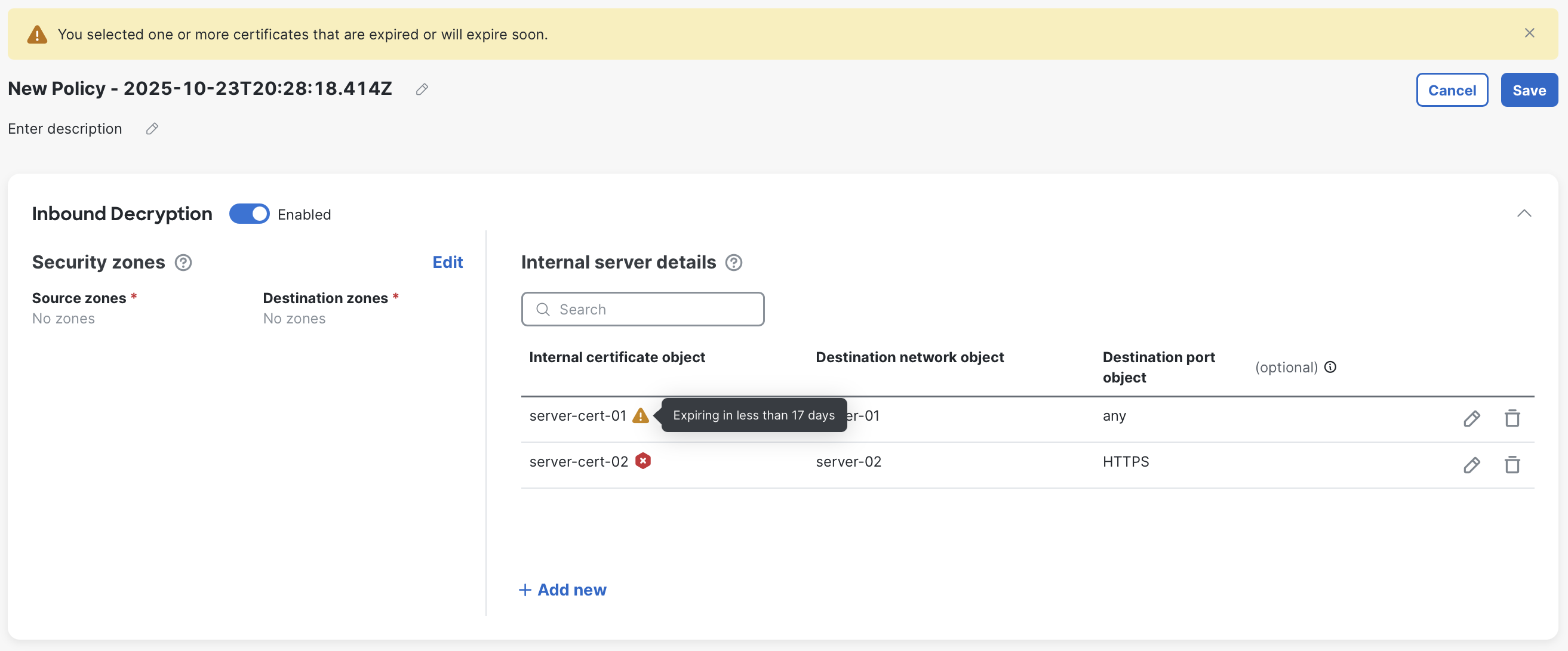
Example of an expired certificate, and another expiring in 17 days
Update certificates inline: Certificate objects can now be updated inline without creating a new object. This enhancement simplifies the process of updating certificates, which is especially helpful in environments where certificates are renewed frequently (for example, every 45-90 days within automated CA systems).
To update:
- Edit the row containing the certificate.
- Click the edit icon next to the certificate.
- In the Update internal certificate dialog, select or paste in the new certificate and key details.
Inline updates can also be performed via REST API, making it easy to integrate with automated certificate renewal workflows (for example, when using ACME-based tools or enterprise PKI automation). This capability significantly reduces administrative overhead and the risk of downtime due to expired certificates.
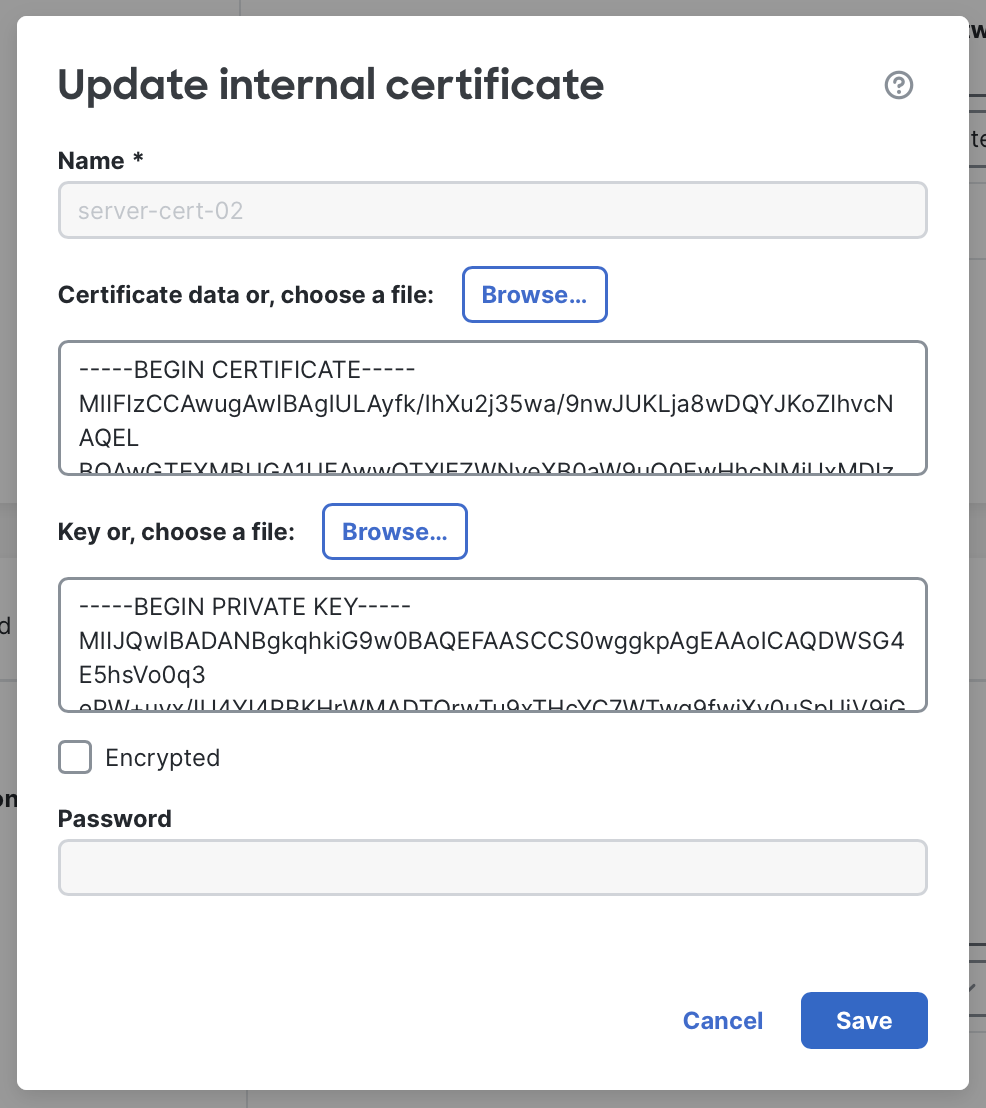
Updating a certificate inline
Decryption Event Logging: Decryption details are logged alongside access control metadata in connection events. This allows you to see both decryption and access control actions in a single record. By default, all decryption logging is enabled. Logging behavior can be modified in Advanced Options. (Note: Decryption logs also depend on rule-level logging being enabled in the access control policy.)
Trusted CA certificates: For decryption to succeed, the firewall must trust the certificates it encounters. If you are using self-signed certificates or certificates signed by an enterprise root (or another root not inherently trusted by Secure Firewall), add these additional CA certificates under Advanced Options.

Bypass legacy Cisco undecryptable sites: Enables an old Cisco-maintained bypass list for certain certificate Distinguished Names once known to be undecryptable. This list is no longer maintained and may be removed in a future release. Cisco recommends instead using the Known undecryptable applications list.
Require exact certificate match for inbound decryption: Reverts inbound decryption to the traditional Decrypt Known Key method. It is generally recommended to leave this unchecked. See Inbound Certificate Handling for more details
Enable adaptive TLS server identity probe: Allows Secure Firewall to probe TLS 1.3 servers out-of-band to obtain hostname and identity details, which is used for decryption decisions. It is highly recommended to keep this enabled, and this feature is required for TLS 1.3 decryption. Read more here.
Protocol Support: Secure Firewall can decrypt TLS 1.3 and QUIC traffic, but QUIC decryption is disabled by default. You can enable or disable decryption for either protocol if you are blocking TLS 1.3 or QUIC outright, or you need to troubleshoot without decrypting these sessions.
Summary
The new Decryption Policy experience in Secure Firewall 10.0 brings clarity and control to a historically complex process. By aligning configuration steps to real-world use cases—rather than individual rule logic—it enables administrators to deploy inbound and outbound decryption faster, with fewer errors. Combined with Cisco's ongoing innovations in encrypted traffic analysis and hardware acceleration, this update helps organizations maintain both strong security posture and user experience in an increasingly encrypted world.
Updated about 1 month ago